
Cam Sites
Maximizing Twitter Engagement for Cams.com Broadcasters
Maximizing Twitter Engagement for Cams.com Broadcasters
Cams.com offers a wealth of tips to its community on leveraging Twitter for promotional advantage. The platform suggests methods to heighten retweets, engagement, and viewer interaction.
Cams.com offers a wealth of tips to its community on leveraging Twitter for promotional advantage. The platform suggests methods to heighten retweets, engagement, and viewer interaction.
Visuals Are Key:
Tweets with photos or videos garner the most attention. It’s beneficial for broadcasters to have a stock of engaging images and clips ready for tweets.
Broadcasters can use the “X” button in their interface to post directly to Twitter. Although Cams.com provides a default message, it’s recommended to append an image or short clip. A real-time snapshot of a current stream is an ideal way to entice Twitter followers.
Tweet Composition Guidelines:
Broadcasters should tag @camsdotcom to make their posts visible to Cams.com.
Sharing the unique link allows fans direct access to the room. For instance, if a broadcaster’s stream name is “PrettySexy123”, the link would be Cams.com/reg/PrettySexy123.
Mentions of competing platforms are discouraged. Posts that refer to competitors will not be retweeted by Cams.com’s official channels.
Using relevant hashtags can make a broadcaster’s tweet more discoverable. Exploring hashtags used by other models might offer inspiration.
Ensure Account Accessibility:
To maximize reach, a broadcaster’s Twitter profile should be public. To switch from “protected” to “public”:
Navigate to “Settings and Privacy” through the profile icon.
Opt for “Privacy and Safety” > “Audience and Tagging” and uncheck “Protect your Posts”.
To align with Twitter’s guidelines, posts with adult content should be marked as “Sensitive” in the “Privacy and Safety” settings.
Strategize Your Posting:
It’s effective to tweet at the beginning, during, and after a broadcast. When not live, broadcasters can inform fans of the next streaming session or promote their fan club and recorded shows. For systematic posting, platforms like Hootsuite or TweetDeck can be helpful.
Increase Visibility via Cams.com’s Official Accounts:
The Cams.com social team is active between 9:00 am and 6:00 pm PST, Mon-Fri. Posts during these hours have a higher chance of being promoted by them.
For a post to be considered for retweeting by Cams.com, it should tag @Camsdotcom, remain non-nude, include the broadcaster’s streaming link, and have a photo or video.
If broadcasters notice their posts aren’t getting attention, they can Direct Message @camsdotcom. For individualized promotions, DMing Cams.com with up to four non-nude photos and information on special broadcasting plans is encouraged.
For questions or guidance on promoting streams, Cams.com advises broadcasters to connect directly with @camsdotcom on Twitter.








































Cam Sites
BongaCams.com: Free-User Chat Enabled Now Adds a 10% CamScore Bonus
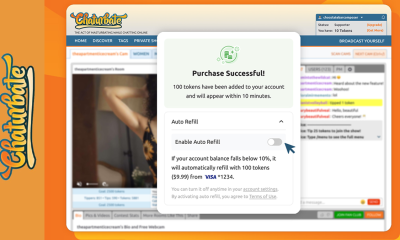
BongaCams.com has announced a new CamScore incentive for models and studios: enabling chat messages for Free-status users now unlocks a 10% boost to a model’s CamScore rating.

BongaCams.com explains that the bonus applies immediately once Free-user chat is enabled. As an example, BongaCams.com says that earning 100 CamScore points would become 110 points with the 10% bonus (100 + 10% = 110).
BongaCams.com adds that models who are not seeing the extra 10% yet should activate the bonus inside the model console, and notes that the boost is intended to help ratings grow faster, improve visibility, and increase earning potential.
Cam Sites
Stripchat.com: XXXmas Holiday Visibility Boost
Stripchat.com has announced its XXXmas season, arriving alongside the usual holiday traffic surge and a dedicated XXXmas category. Stripchat.com notes that many users look for the company during the holidays, and appearing on the front page can significantly impact someone’s mood and experience.
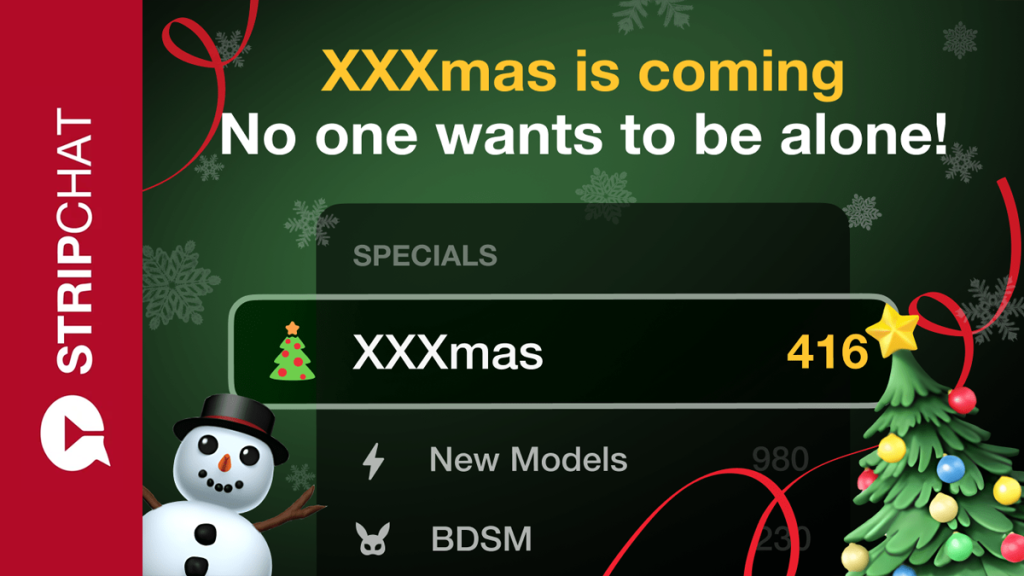
Creators can sign up between December 15, 12:00 PM and January 3, 12:01 AM (UTC), with Stripchat.com stating that participation can noticeably increase visibility.
How to join XXXmas, according to Stripchat.com
- Stripchat.com recommends choosing a festive outfit that reflects your style—cozy, provocative, playful, or elegant. If you prefer to focus on the set rather than the outfit, add lights, garlands, ornaments, or candles. Stripchat.com says you can combine everything to build a complete holiday scene.
- Record a 30-second short clip (formats: MP4, MOV, or MPEG).
- Go to My Details → Broadcast specifics on the Broadcast Page.
- Select XXXmas from the list and upload the video.
- After approval, Stripchat.com says you can appear on the front page when the category goes live—just remember to select XXXmas and make sure your outfit and décor meet the requirements.
The XXXmas event runs from December 23, 12:00 PM to January 3, 12:01 AM (UTC). As a bonus, Stripchat.com also mentions a token promotion for users to keep the holiday energy going, encouraging creators to invite fans to join in and let the festive atmosphere amplify key moments.
Stripchat.com adds that full details are available in the blog post and asks the community for feedback on this year’s XXXmas special-show format, inviting discussion on Discord and encouraging followers to stay updated via Telegram.
Cam Sites
XLoveCam makes its VR interface compatible with Apple Vision Pro, Samsung Galaxy XR, and Meta Quest
Curaçao: XLoveCam, the European leader in immersive adult livecam, reaches a new technological milestone with a version of its VR interface now compatible with Apple Vision Pro, Meta Quest, and Samsung Galaxy XR headsets.
This development reinforces Xlovecam’s ambition to establish itself as a major player in virtual reality applied to livecam.

Xlovecam VR aligned with the most advanced technologies
Xlovecam’s VR interface adapts seamlessly to the most powerful VR headsets on the market, ensuring an optimal immersive experience:
- Apple Vision Pro: eye tracking, high pixel density, advanced spatial rendering
- Meta Quest: controller-free interaction, gesture tracking
- Samsung Galaxy XR: high-brightness display and optimized processing speed
- VR.cam 03: Xlovecam will launch in early 2026 a new VR camera offering advanced performance in 4K 60fps and 8K 30fps
A VR interface designed for all headsets
“Our compatibility with Apple, Meta, and Samsung reflects our ambition: to offer our users a platform that meets their expectations and new ways of consuming content.”— Marco Forastieri, Marketing Director at Xlovecam.
Available now
Users equipped with an Apple Vision Pro, Meta Quest, or Samsung Galaxy XR can already access live VR content on Xlovecam by visiting the Live VR Webcams section, joining the hundreds of models already available.
XLoveCam


-

 Cam Models4 years ago
EmilyJonesChat
-

 Finance & Business3 months ago
BCAMS Magazine, the 34th issue
-

 Finance & Business4 months ago
BCAMS Magazine, the 33nd issue
-

 Finance & Business5 months ago
BCAMS Magazine, the 32nd issue
-

 Finance & Business6 months ago
BCAMS Magazine, the 31st issue
-
 Finance & Business7 months ago
BCAMS Magazine, the 30th issue
You must be logged in to post a comment Login